Powershop CRM
A unified dashboard designed to streamline content building, customer management, and community growth.
ROLE
UI/UX Design
DURATION
1.5 Week Sprint
PLATFORM & DOMAIN
SaaS
Dashboard
Admin Panel
SKILLS
Product Design
User Research
Interaction Design
THE CHALLENGE
Democratizing Digital Marketing
Small business owners often lack the technical skills to build websites or host complex digital events. They need a tool that bridges the gap between marketing creation and customer management. My goal was to design a robust "No-Code Editor" and "Event Host" system that feels as easy as using a social media app, while automatically organizing the resulting data.
THE BLUEPRINT
IMG
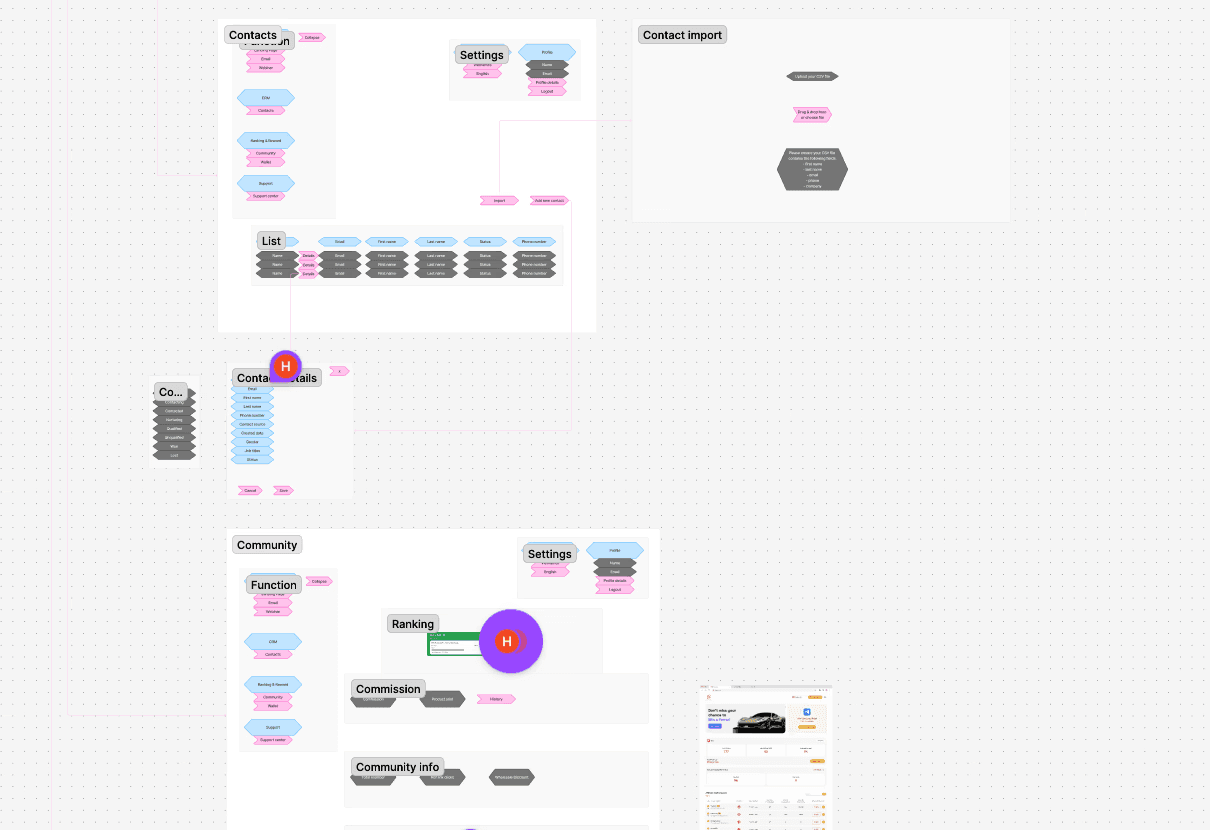
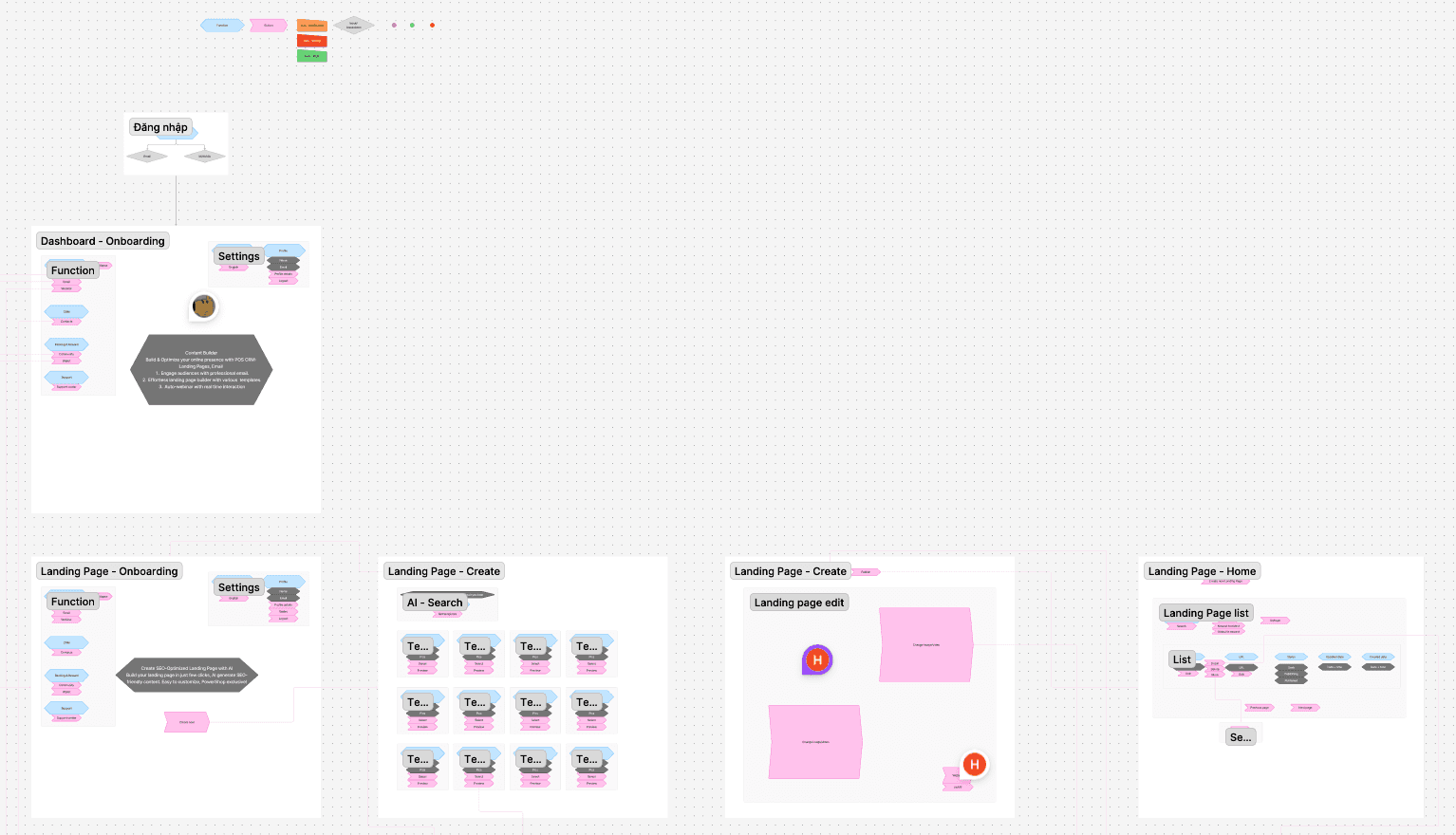
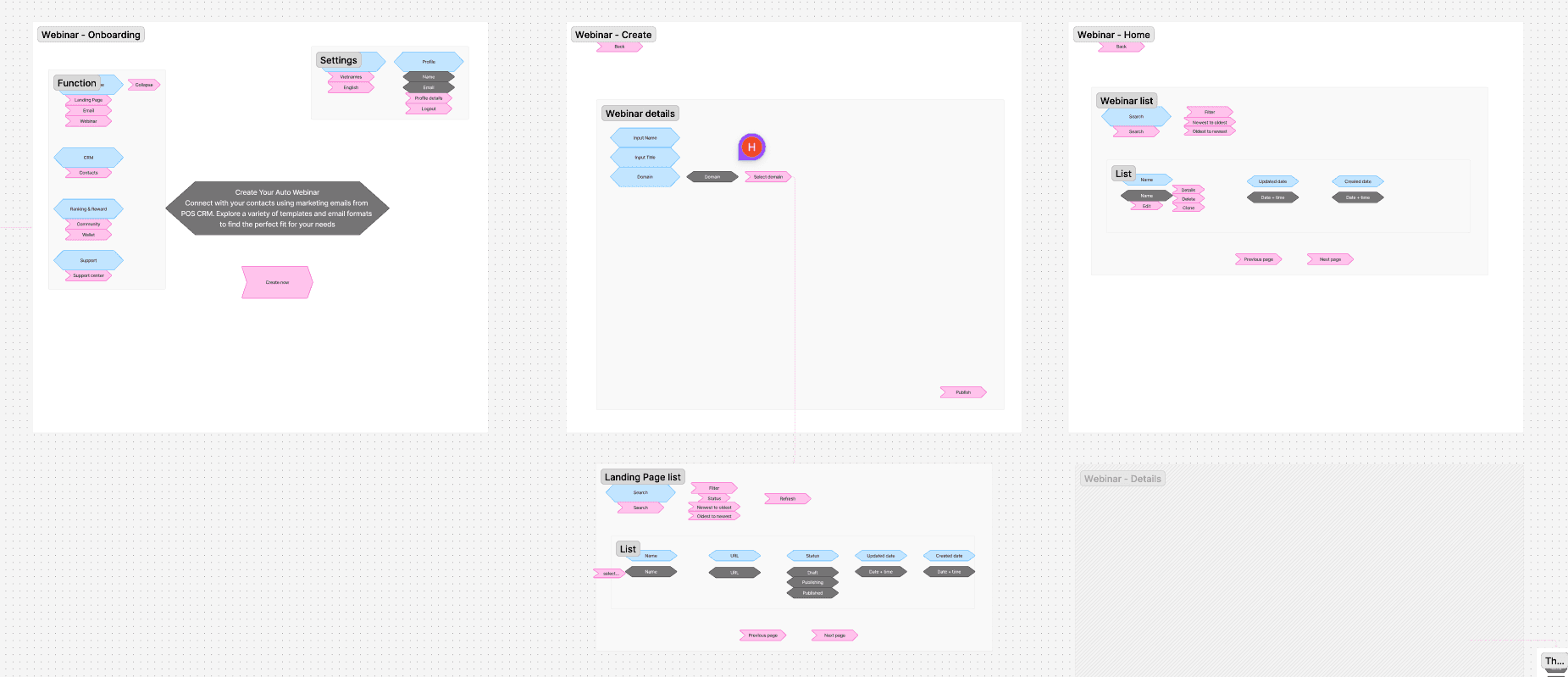
User flow mapping helps align teams to better understand and fulfill customer requests
From Request to Consensus
To avoid ambiguity, I translated every stakeholder request into a visual User Path before designing.
THE CORE SOLUTION (70% FOCUS)
VID
To make the "All-in-One" concept work, navigation had to be effortless
Logical Grouping: I separated the "Creative" tools (Content Builder) from the "Operational" tools (CRM), reducing cognitive load.
Instant Context Switching: Users can jump from editing a webinar to checking a contact’s details in a single click, keeping their workflow uninterrupted.
VID
Visual approach over technical forms to empower non-designers
The "No-Code" Visual Editor
WYSIWYG (What you see is What you get) Editing: Users edit text like "Life Coaching with Ava Reed" directly on the canvas, ensuring that the promotional copy for their webinar looks exactly as intended.
Safety Rails: I designed distinct "Admin" (edit) and "Preview" states to ensure the complex layout—including the embedded webinar modules—renders perfectly before going public.
VID
Easily integrate any webinar link into any landing page
Smart Integration: A key UX feature is the ability to embed created Webinars directly into Landing Pages. Once a webinar is set up, it becomes a click-and-apply component list within the editor, allowing users to drive traffic to their events without messing with embed codes or external links.
VID
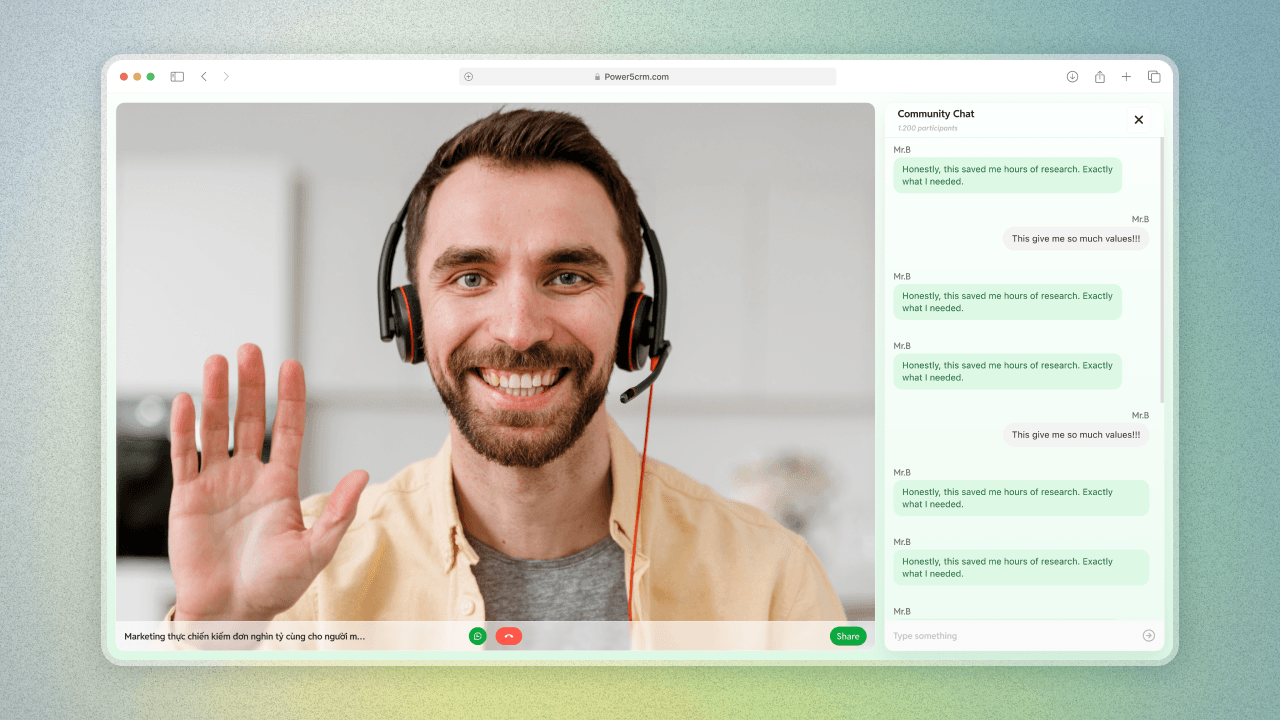
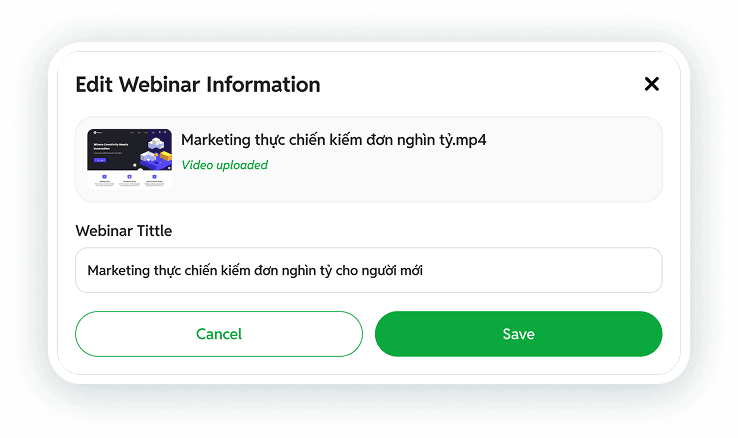
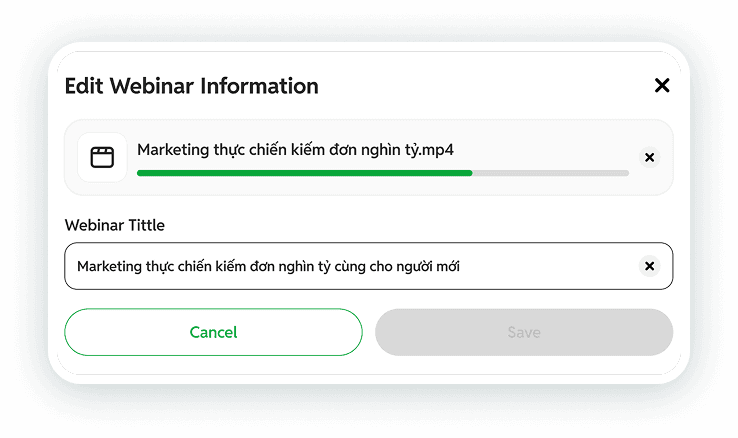
Create your webinar in just a few clicks
Webinar Hosting: Simple Setup, Smart Management
Create in Seconds: I replaced complex settings pages with a quick step-by-step popup. Users just need to fill in a few key details—like the title and cover image—and their event is ready to go. It turns a scary technical task into a simple 3-step process.
Informative Management: Once created, events are organized into a clean Webinar List. I designed this view to be highly informative at a glance: users can instantly see the status (active/inactive), the scheduled time, and the thumbnail for every session without needing to click around.
IMG
Automated CRM: Smart & Centralized

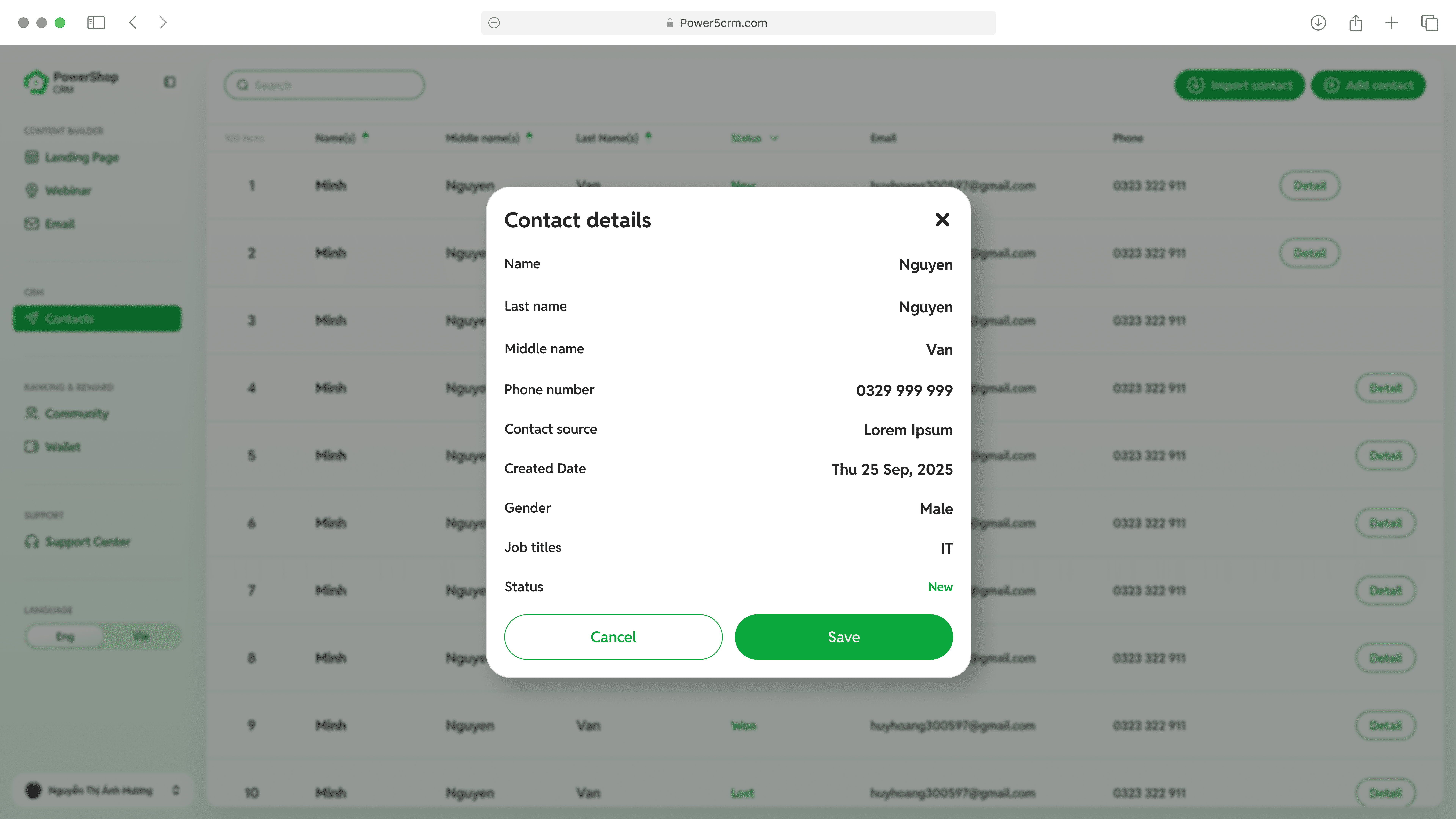

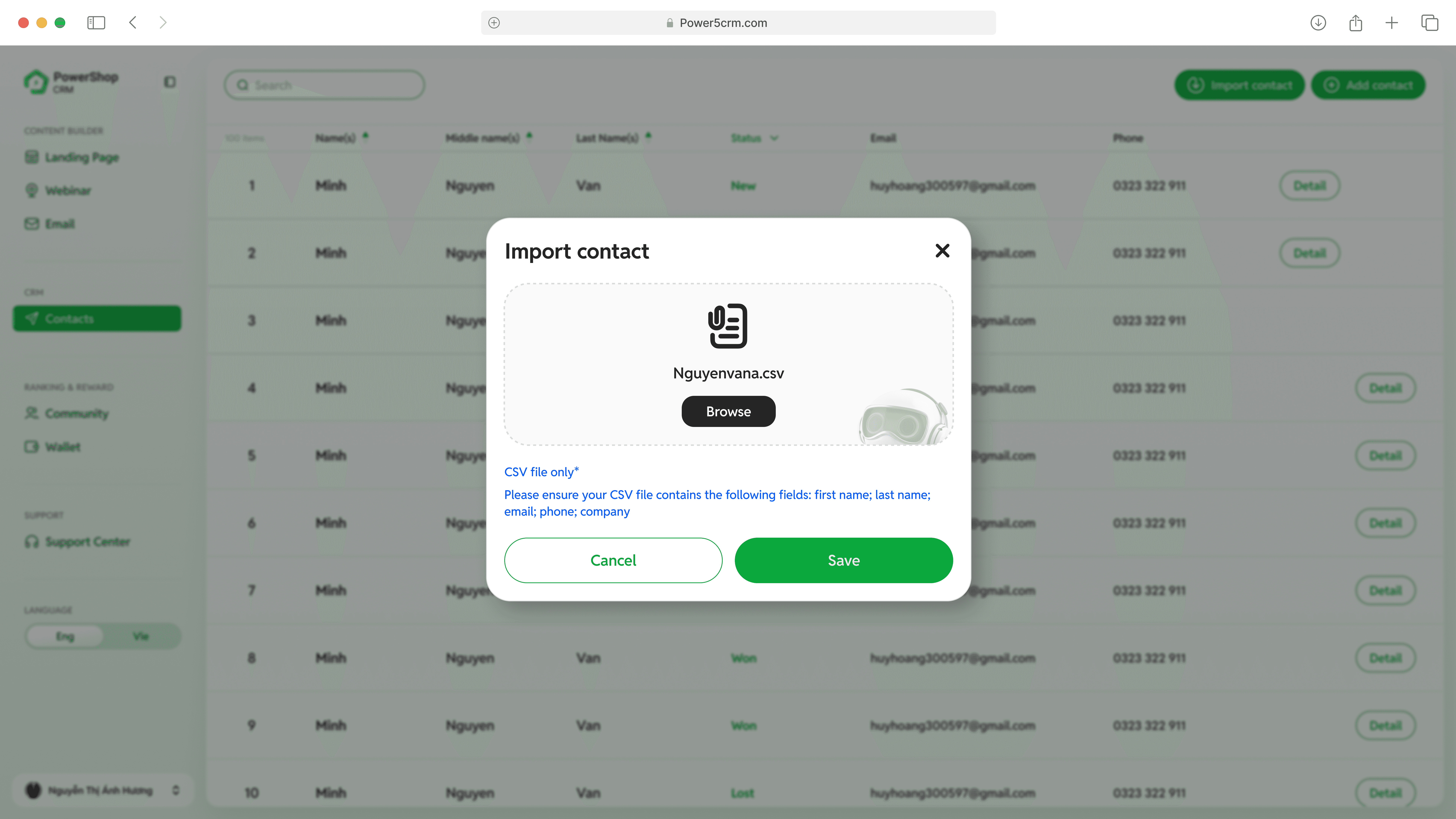
Unified Master List: All leads—whether captured automatically from Landing Pages or added manually—appear in one clean, searchable table, giving users a complete view of their network instantly.
Deep Detail Modals: To keep the workflow fluid, I avoided separate profile pages. Users simply click a name to open a Contact Details popup, allowing them to view and edit complex data—like "Wallet Address" or "Commission Level"—without ever losing their place in the list.
Drag-and-Drop Import: Onboarding is friction-free. I designed a simple Import Modal where users can drag and drop their existing customer files to populate the system in seconds, rather than typing them in one by one.
THE REWARD: VISUALIZING GROWTH (30% FOCUS)
IMG
Community & Wallet UI
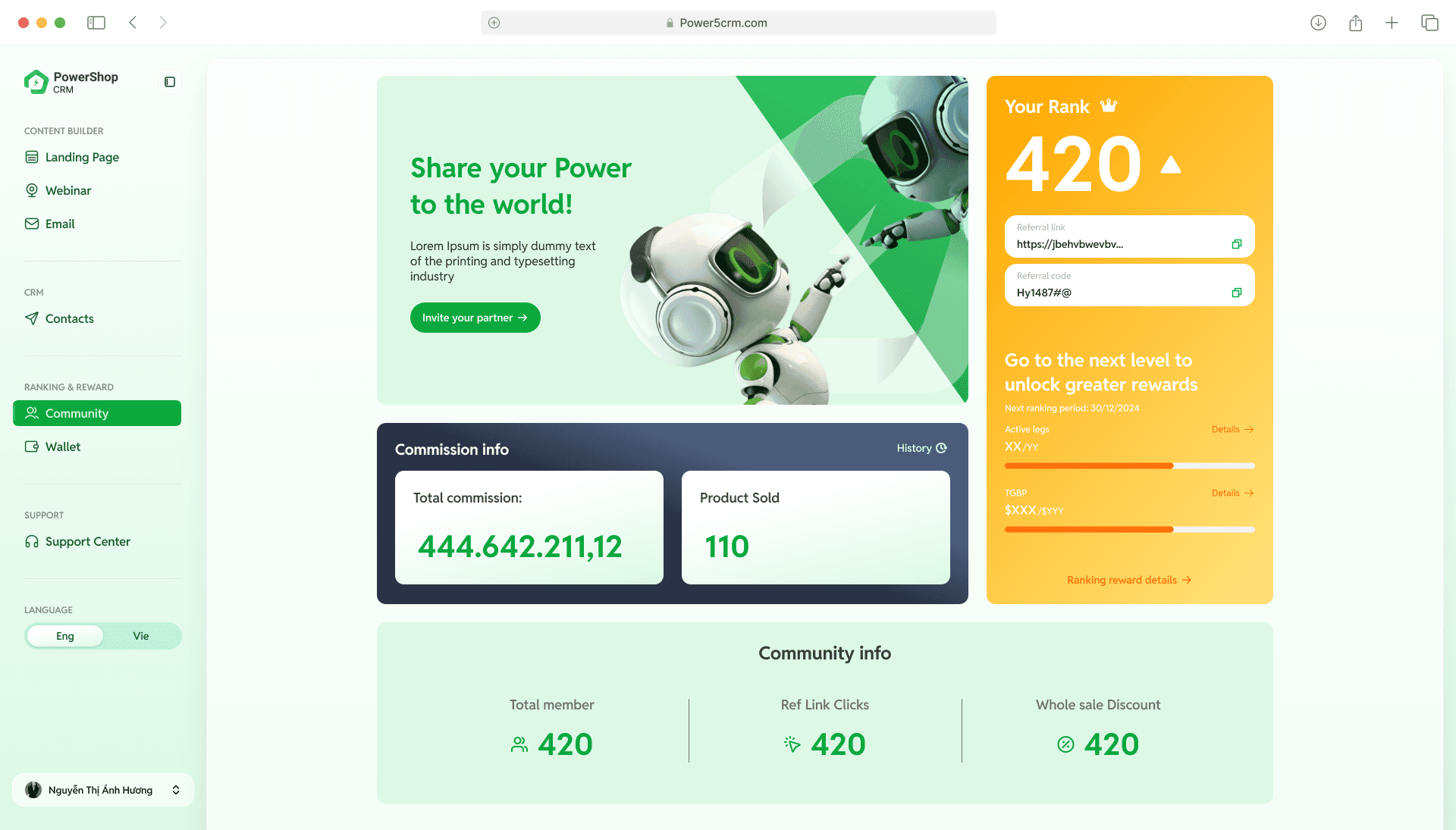
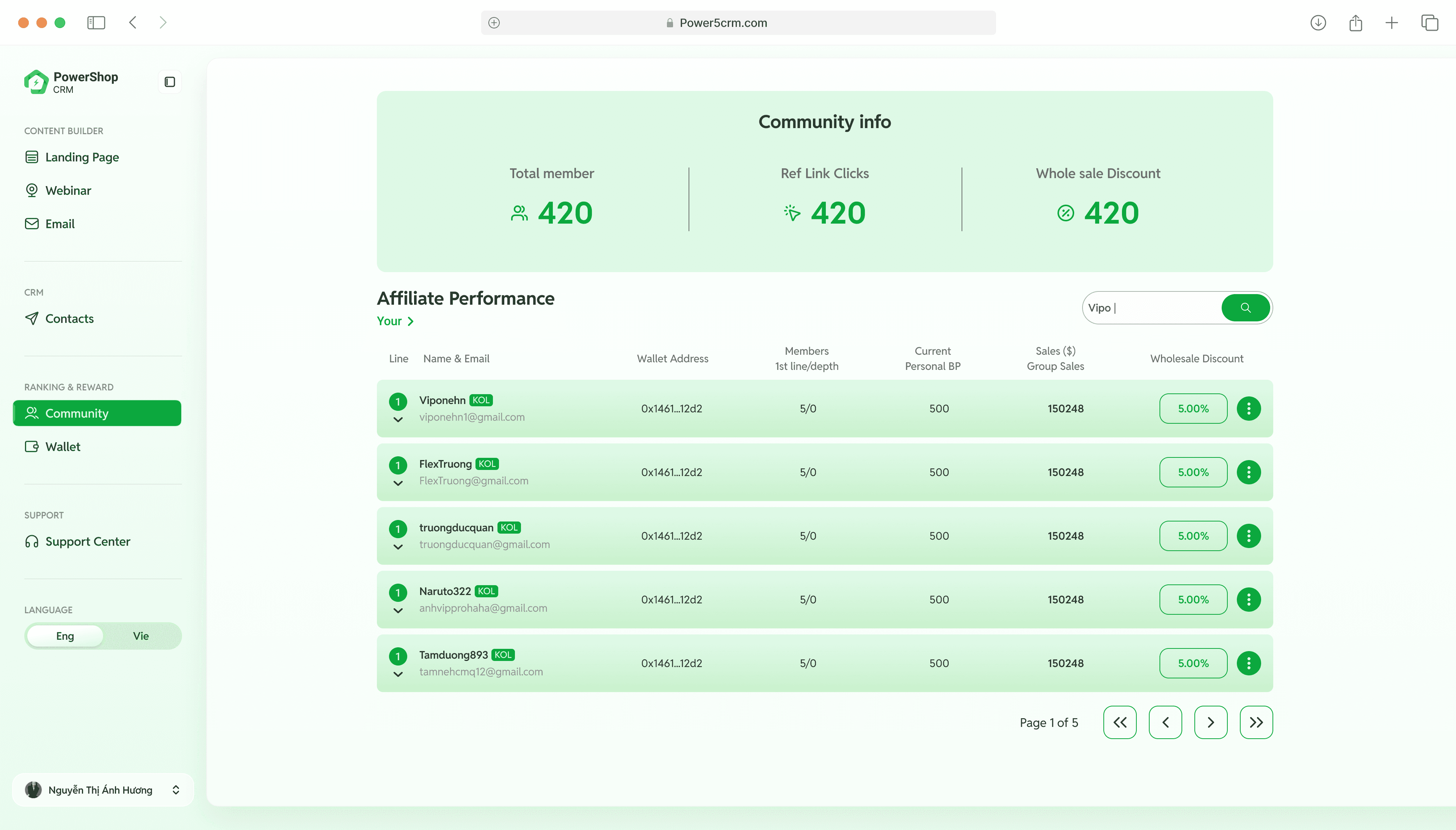
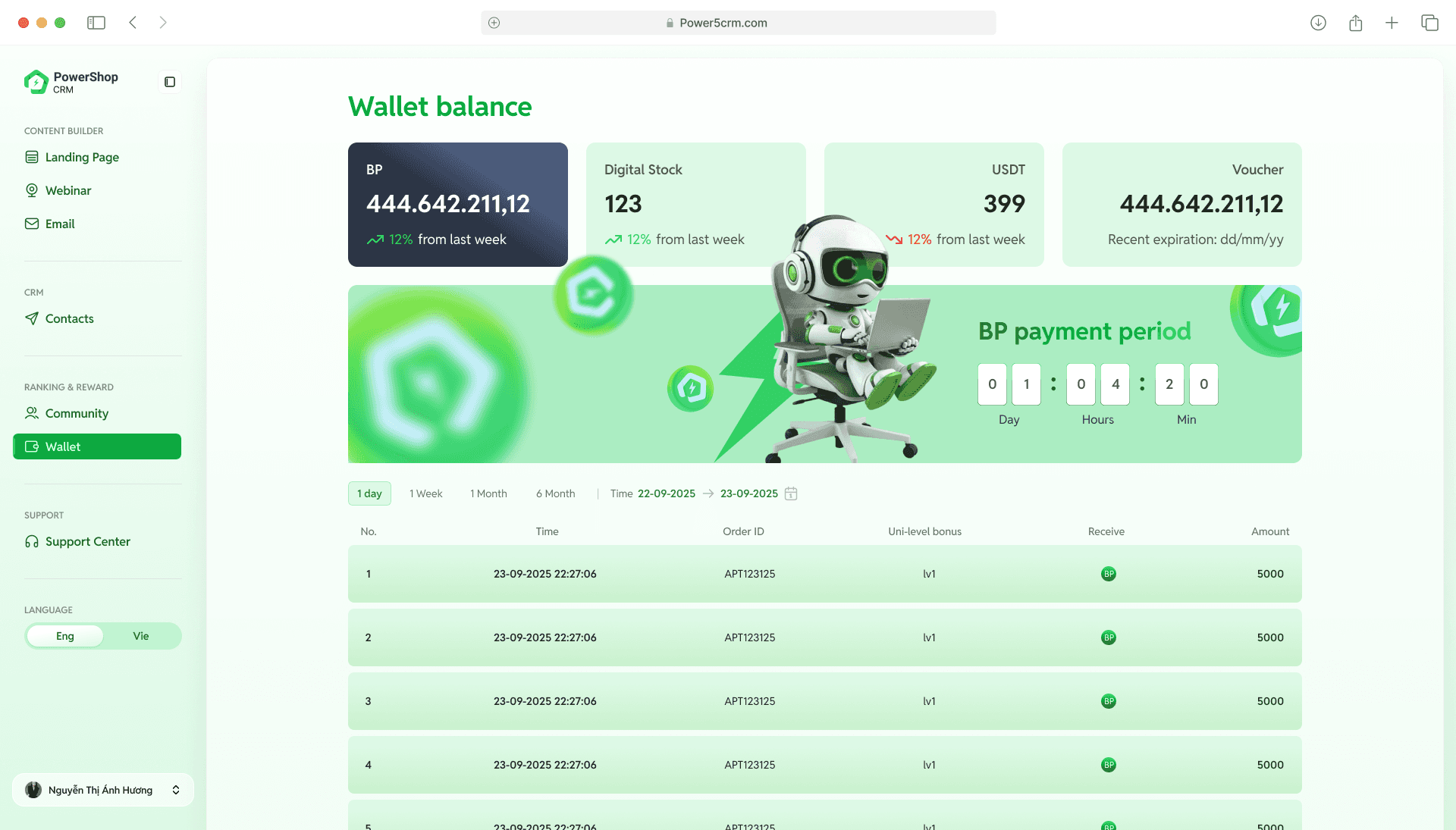
Once the work is done, the platform shifts to rewarding the user with clear progress indicators.
Financial Clarity: I designed the Wallet to look less like a spreadsheet and more like a dashboard. Large, high-contrast cards display the "Wallet Balance" and "USDT" earnings instantly. Key details like the "BP payment period" are highlighted with countdowns to drive action.
Community Gamification: To encourage network growth, I visualized success. The Community page features "Rank" cards (e.g., Rank 420) and clear progress bars, turning complex affiliate stats into a motivating game.
KEY TAKEAWAY
Logic-First Architecture
I prioritized clarity before pixels. By mapping abstract stakeholder requests into concrete User Paths—like the "AI Template Search" and "Webinar Registration"—I ensured the entire team aligned on the system's logic early, preventing costly code rewrites later.
Visual "No-Code" Creation
I democratized technical tasks for non-experts. By designing WYSIWYG editors for landing pages and step-by-step wizards for webinar setup, I transformed complex, code-heavy workflows into simple, visual interactions that anyone can use.
Unified "All-in-One" Platform
I realized that an "All-in-One" platform doesn't have to be complicated. By consolidating three distinct tools (Builder, Host, CRM) behind a single, consistent Sidebar, I proved that a powerful system can still be intuitive. I learned how to reduce cognitive load by ensuring users never have to "context switch" or leave the tab to run their business.
Back to top
