
Tiny VPN
From Vague Feature Requests into a Cohesive VPN Platform
Designing a complete desktop VPN experience when the only input was a feature list.

ROLE
Product Designer
DURATION
3 Weeks Sprint
PLATFORM & DOMAIN
Windows Application
VPN & Game Rental
SKILLS
Product Design
Information Architecture
THE CHALLENGE: A Feature List, Nothing Else
The client came with requirements for 8 features:
VPN connection & server selection
Subscription/package management
Wallet & transaction system
Marketplace for game rental and in/out-game related items
Task/mission gamification
Virtual AI Chat Persona
Help center & ticketing
Settings & preferences
The real challenge: How do you design a cohesive product when you only have a list of features - no strategy, no priorities, no "why"?
Problem 1: No Hierarchy:
8 features. All look equally important. Which should users see first? Which drives the business? Which are nice-to-have?
Problem 2: No Relationships
How do these features connect? Does wallet relate to subscriptions? Do tasks tie to engagement? Is the marketplace separate or integrated?
Problem 3: No User Context
Who uses this? When? Why? What's their primary goal? What can wait until later?
Without answers, I had to create the strategy myself.
THE SOLUTION: Building Structure from Ambiguity
Step 1: Define functions' intents
I asked: "What would a VPN user actually want to do?"
Primary goal: Connect to VPN quickly and securely
Secondary goals: Manage subscription, check balance, get help
Tertiary goals: Explore marketplace, complete tasks, adjust settings
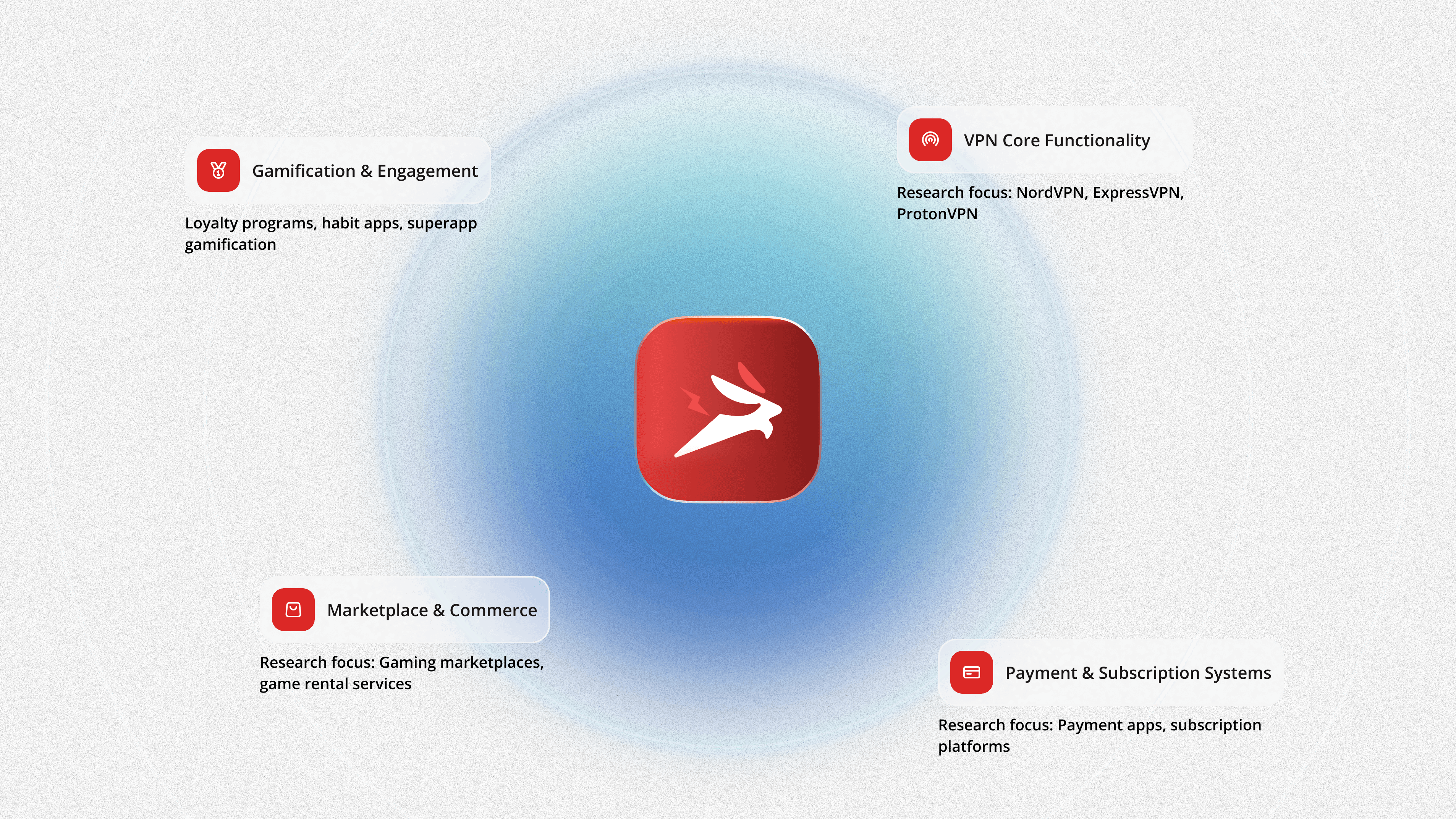
-> Then I segmented all the functions into categories to do market and competitors research
Step 1: Define functions' intents
I asked: "What would a VPN user actually want to do?"
Primary goal: Connect to VPN quickly and securely
Secondary goals: Manage subscription, check balance, get help
Tertiary goals: Explore marketplace, complete tasks, adjust settings
-> Then I segmented all the functions into categories to do market and competitors research
IMG
Why this segmentation helped
Instead of researching "VPN apps" only, I studied best practices from multiple industries:
VPN apps for connection UX
Fintech apps for wallet trust signals
Gaming platforms for marketplace patterns
Habit apps for gamification psychology
This cross-industry research gave me patterns the client didn't know to ask for.
IMG
Step 2: Build Information Architecture
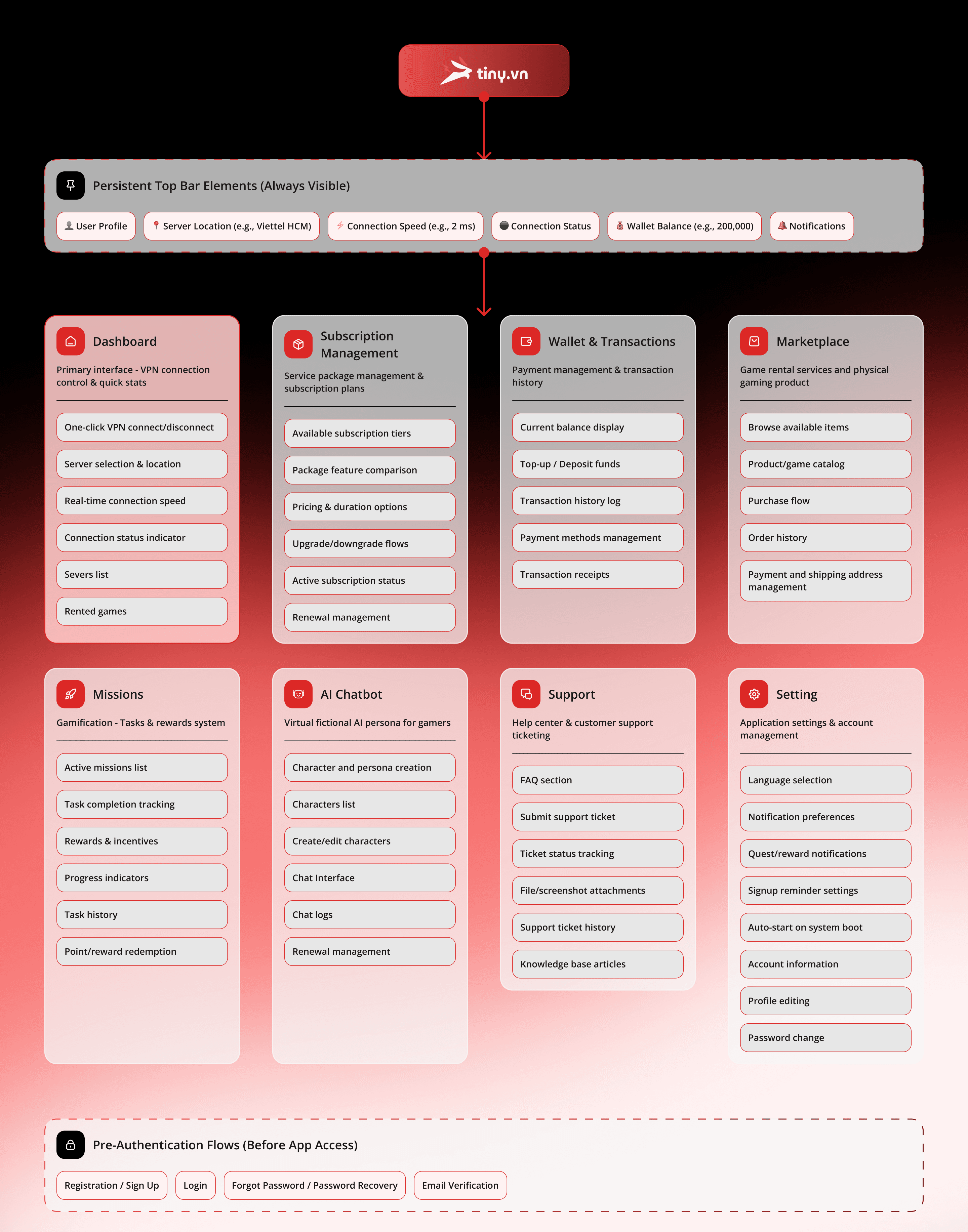
The IA (Information Architecture) served as the single source of truth across the project—aligning design, development, and client understanding.
Purpose: Transform the client's disconnected feature list into a visual system that shows how everything connects and works together.
Process: I organized the feature list and their functions into a logical navigation structure, then presented it to the client in a check-up meeting. This helped them see the full scope and understand how each requested feature fits into the larger product.
Outcome: The IA became our shared reference point—ensuring everyone understood the same product vision before a single screen was designed.
VID
The "Pocket Terminal
The Feature: A fully responsive mobile trading interface that retains 100% of the desktop functionality.
The UX Win: Instead of simply shrinking the desktop view, I utilized a Bottom Sheet Architecture. This keeps the price chart visible at the top (context) while the user inputs complex data (order details) below, solving the "small screen, big data" problem.
Touch-Optimized Controls: I replaced text inputs with Slide Interactions for leverage adjustments, designing for "thumb-zone" ergonomics rather than mouse precision.
Safety Layers: Recognizing that mobile users are prone to accidental taps, I designed a high-friction Confirmation Modal that summarizes critical risk data (Liquidation Price, Margin Cost) before the transaction is sent to the chain.
VID
Staking & Retention Architecture
The Feature: A dedicated liquidity management dashboard that incentivizes long-term holding through visual feedback.
The UX Win (Visualizing Value): Instead of a static text list, I designed an interactive "Time-Based Tier System". Users can toggle between lock-up periods (1 month to 2 years) and instantly see the APR jump from 7.12% to 57.7%, gamifying the decision to commit assets for longer.
The UX Win (Transparent "Exit Logic"): Unstaking in DeFi often has hidden traps. I designed a high-friction Unstaking Modal that clearly breaks down the consequences before execution. It explicitly calculates the "Early Withdrawal Penalty" (5%) and highlights the "3-Day Unbonding Period," ensuring users aren't blindsided by protocol rules.
Interaction Detail: The dashboard features "Optimistic UI" updates—notice the "Est. Reward" calculator updates in real-time as the user types their stake amount, providing immediate clarity on potential returns.
IMG
Building Trust Through Structured Clarity
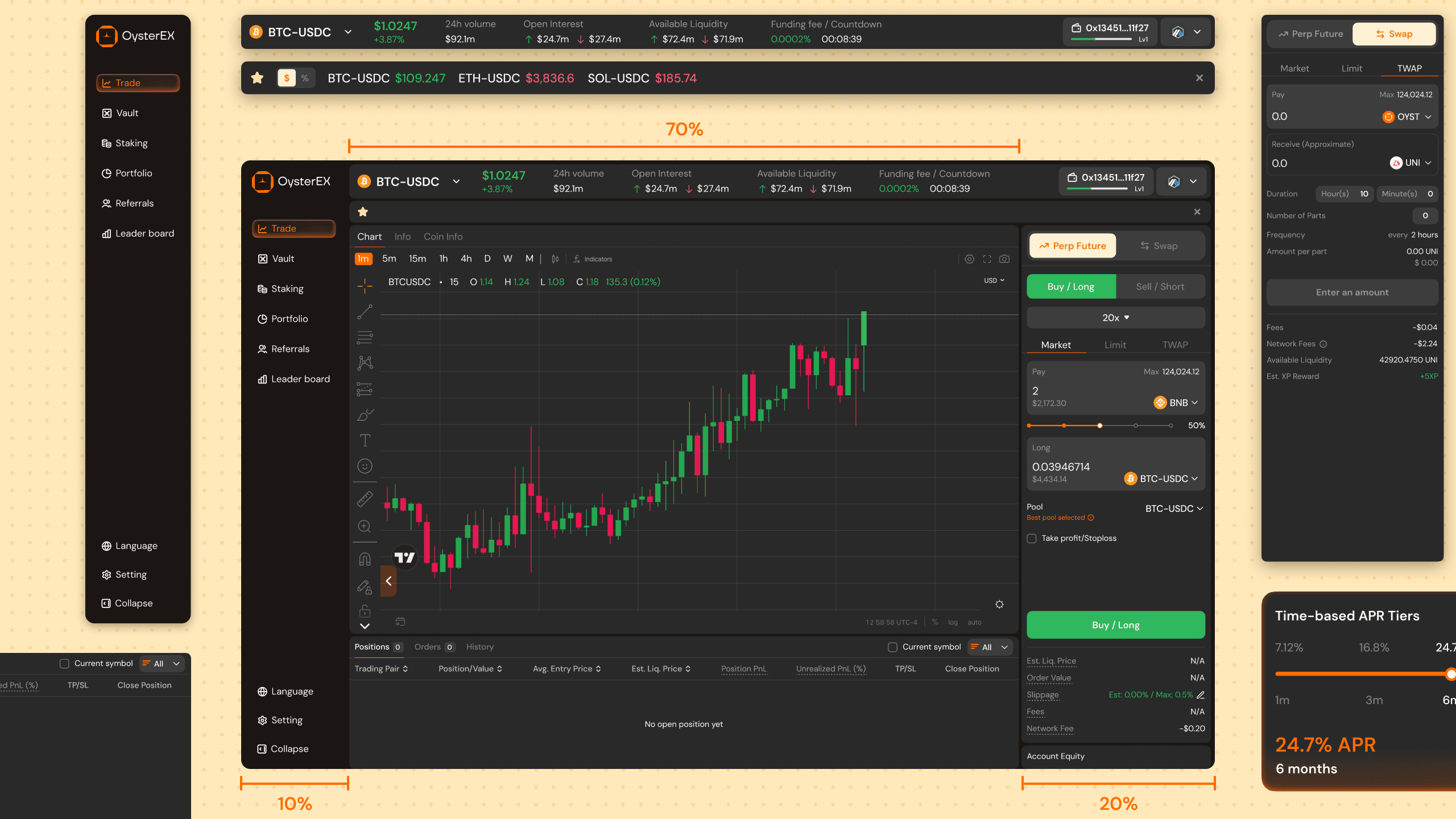
In a domain where confusion can lead to financial loss, clarity is the ultimate trust signal. I implemented a Bento Grid/Modules UI Design to ensure that every piece of important information has its own dedicated space, preventing vital data from getting lost in the noise. This modular approach makes the interface transparent by default; users can easily locate and digest critical status updates—from Staking Rewards to Order Risk—instantly.
By organizing the chaos into a structured grid, we prove to the user that the platform is stable, organized, and has nothing to hide.
MORE UI DESIGN STUFF
IMG
Eliminating Uncertainty Through Status Visibility
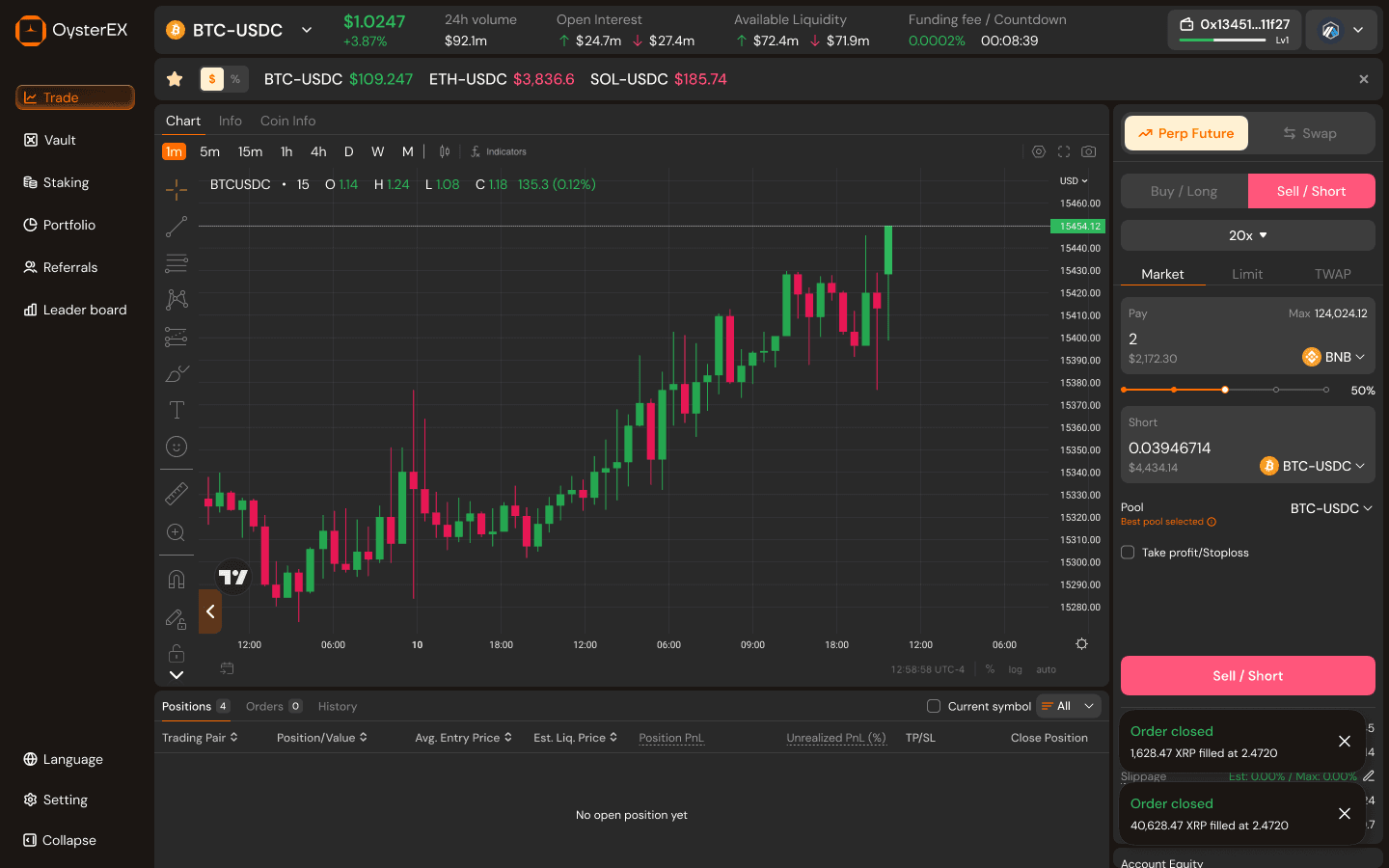
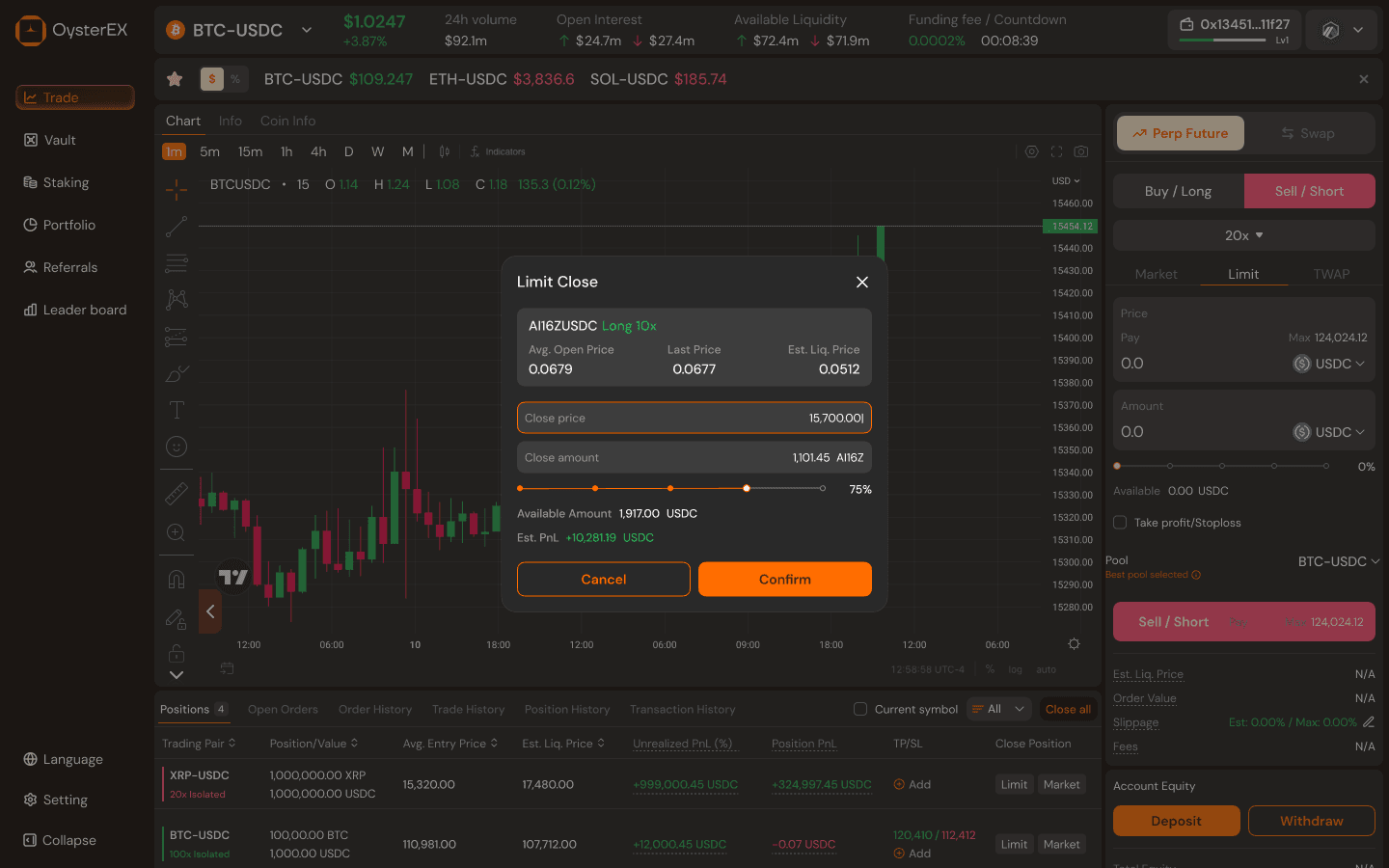
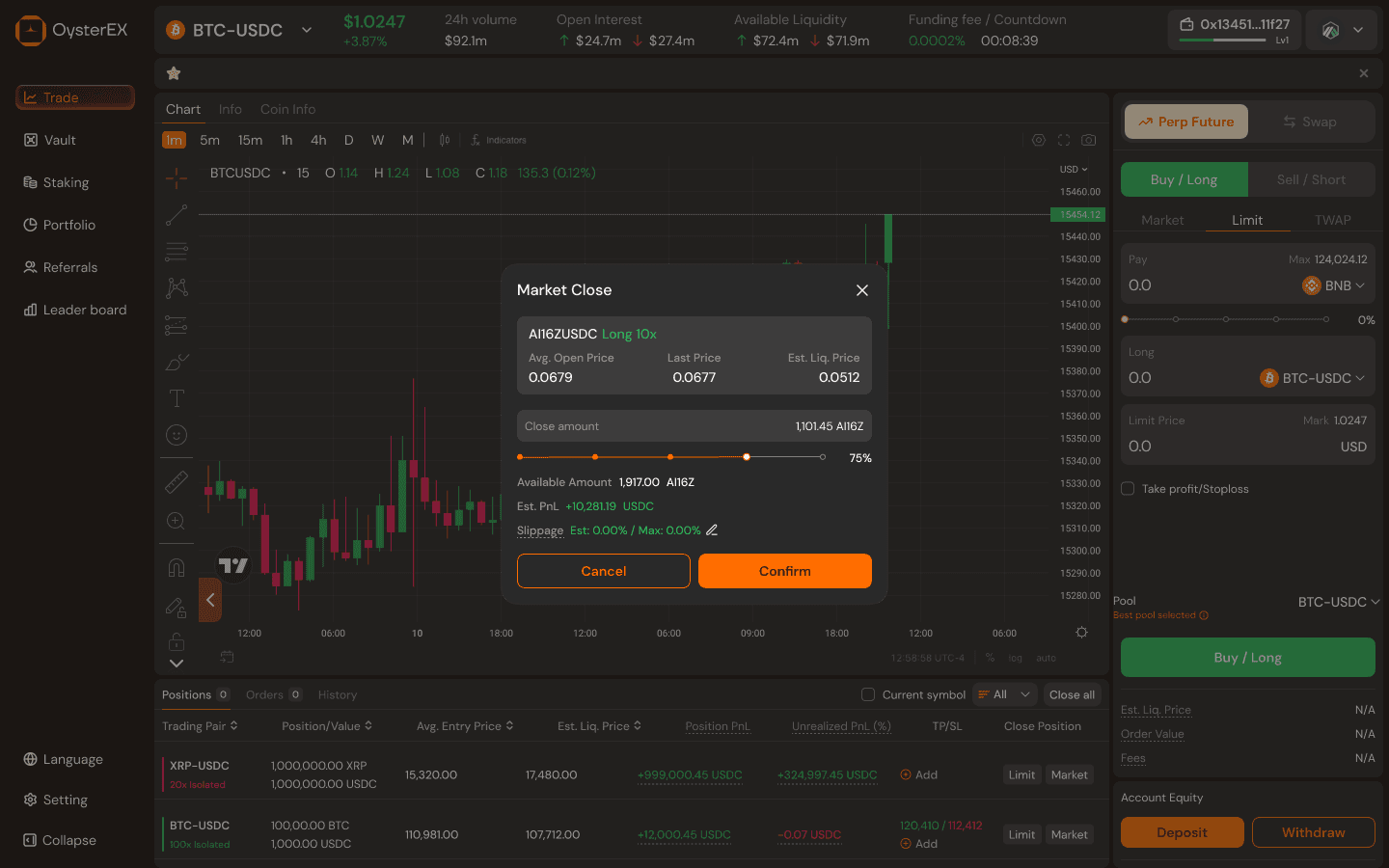
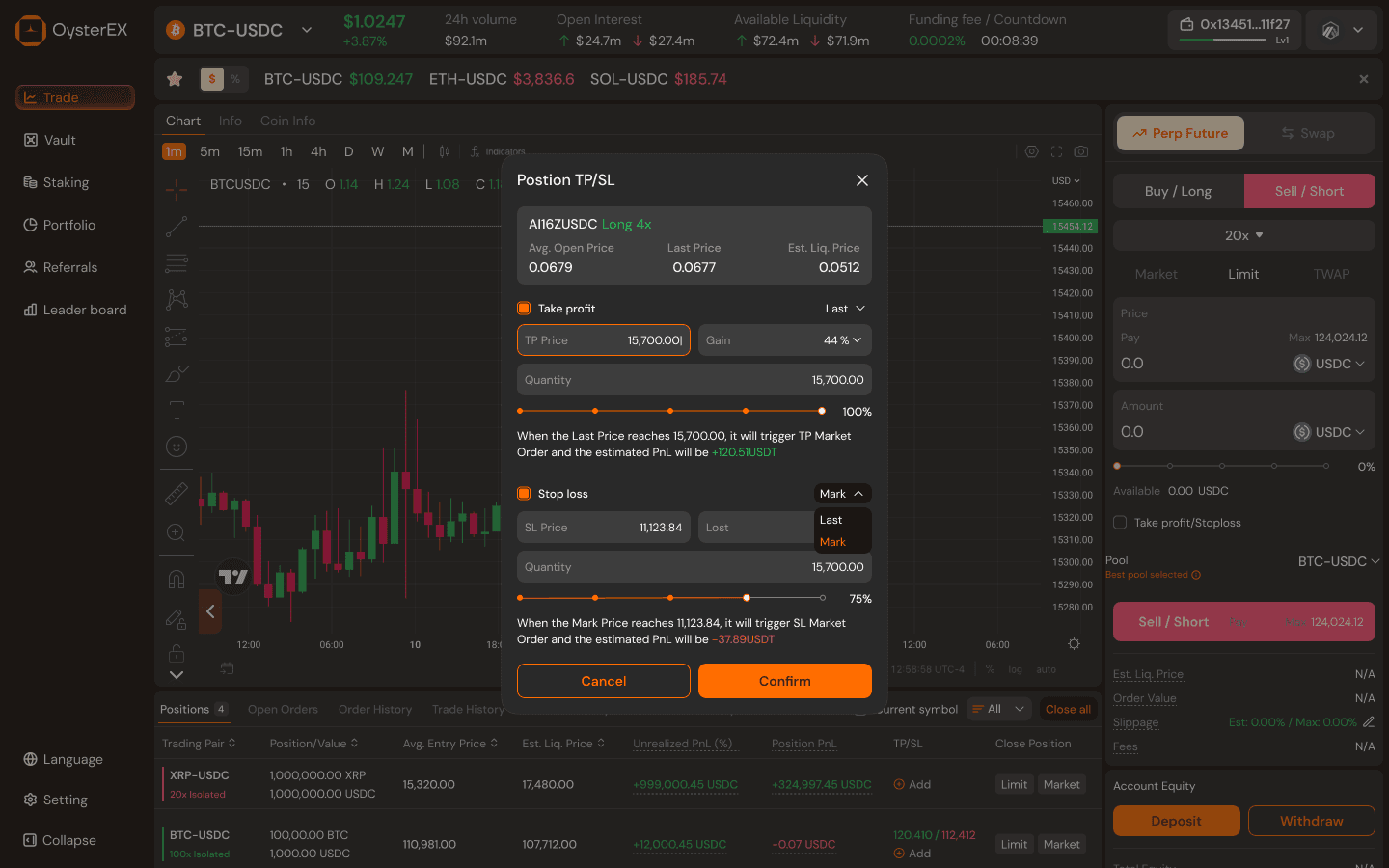
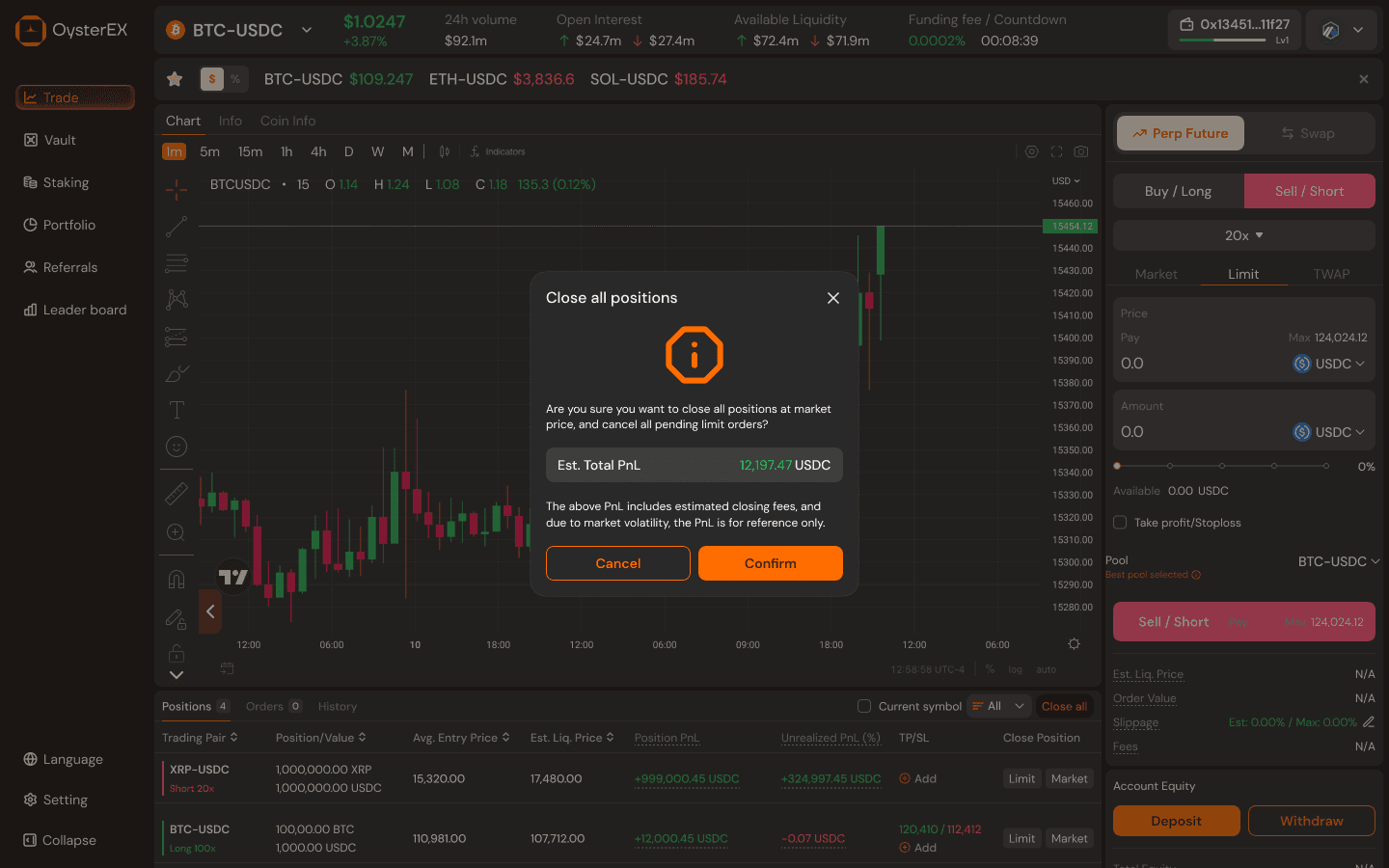
I designed this trading interface to bring the familiarity and performance of a centralized exchange into a decentralized environment. The goal was simple: make advanced features like perpetual futures, TP/SL, and fast position management feel intuitive, predictable, and safe—without sacrificing the transparency of DeFi. By borrowing proven CEX interaction patterns and refining them for on-chain constraints, this UI lowers the learning curve for new users while staying powerful enough for experienced traders.
KEY TAKEAWAY
CEX Patterns as an Onboarding Layer
I treated centralized exchanges as the baseline mental model for new users. By mirroring familiar trading flows, I reduced onboarding friction and helped users enter DeFi without having to relearn how trading works.
Lower the Learning Curve, Not the Capability
Instead of simplifying the product, I simplified the first experience. Advanced features remain intact, but are progressively revealed as user confidence grows.
UX as a Bridge to Decentralization
Rather than educating users about DeFi mechanics, the interface absorbs that complexity. Good UX becomes the bridge—guiding users from familiar CEX behavior into a trustless environment without fear.
Back to top
